How do I use WAWebSender Extension?
In just three steps, you can send messages automatically!
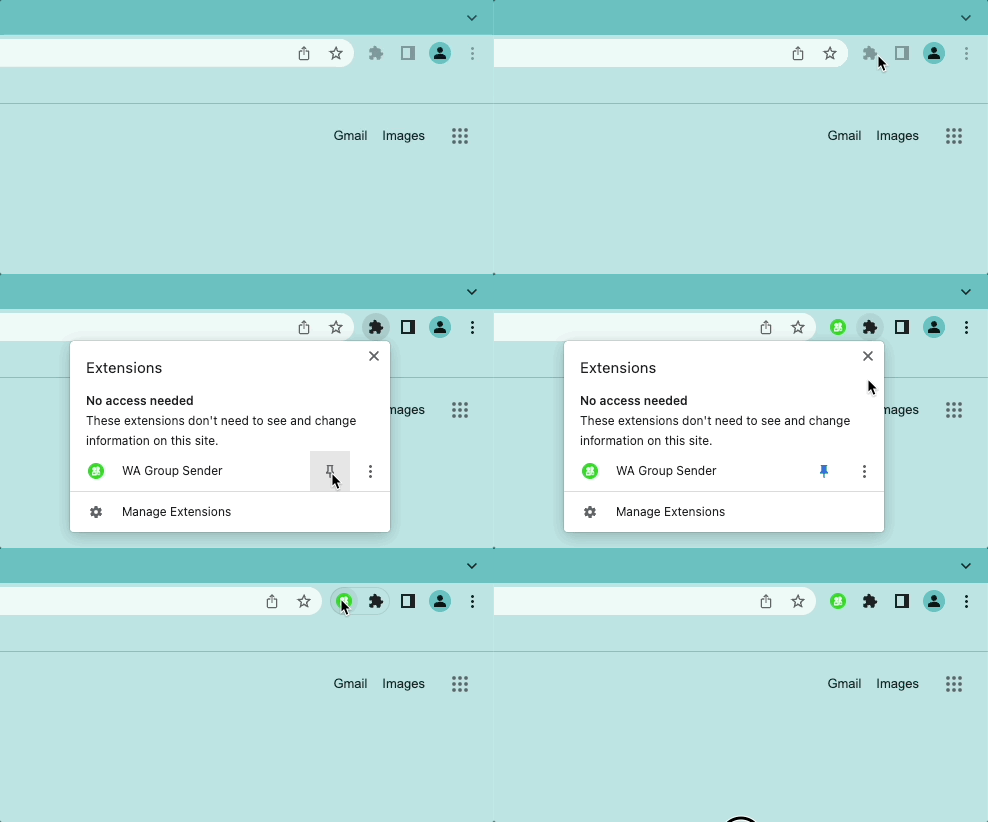
Install and pin WAWebSender's icon in your browser
You will notice an icon at the top right of your browser. When you click this icon, a menu will show a list of all the installed extensions. You need to click the icon next to WAWebSender.
Once done, you will see the icon.
Please log in on WhatsApp Web first
Click the icon and link to WhatsApp Web. Open WhatsApp on your phone. Tap Menu on Android /Settings on iPhone and click "Linked Devices". Point your phone to this screen to capture the code.

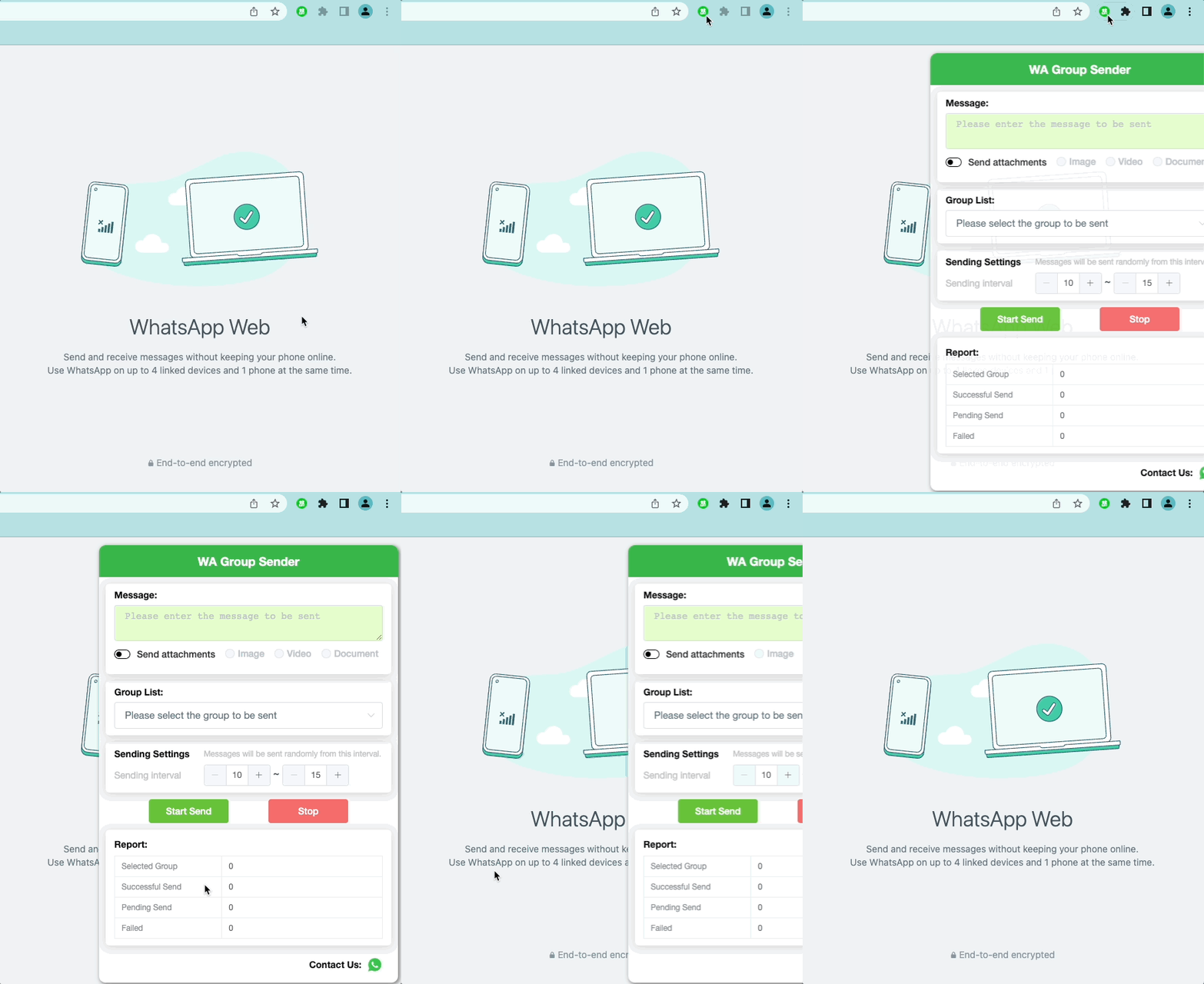
Click the icon at the top right of your browser
When you log into WhatsApp Web and click the icon at the top right of your browser, you will see the popup window. Now you can experience how efficient Sender is.