
120
Countries
Hide messages, images, account profile on WhatsApp screen to keep your WhatsApp privacy.

120
Countries
435,128
Download
99%
Satisfaction
Using WhatsApp Web in public or during screen sharing can expose sensitive conversations, private media, and personal information without you noticing.
Hide WhatsApp App messages or images as you wish, we offer you a private WhatsApp. Whether you're in meetings, working around others, or presenting your screen, Privacy Extension for WhatsApp Web keeps your chats safe at all times.

Enhance your privacy with the Privacy Extension for WhatsApp Web. Our extension offers multiple layers of protection by blurring sensitive content on your screen
Including:
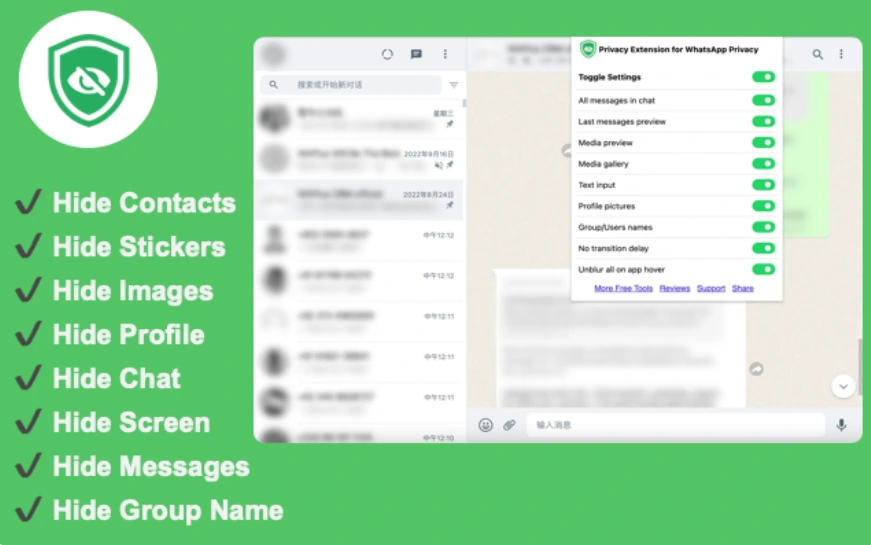
Privacy Extension for WhatsApp Web is a powerful extension that revolutionizes the way you protect privacy information from WhatsApp Web. Say goodbye to privacy risks and hello to safer, protected WhatsApp Web browsing with the Privacy Extension for WhatsApp Web.
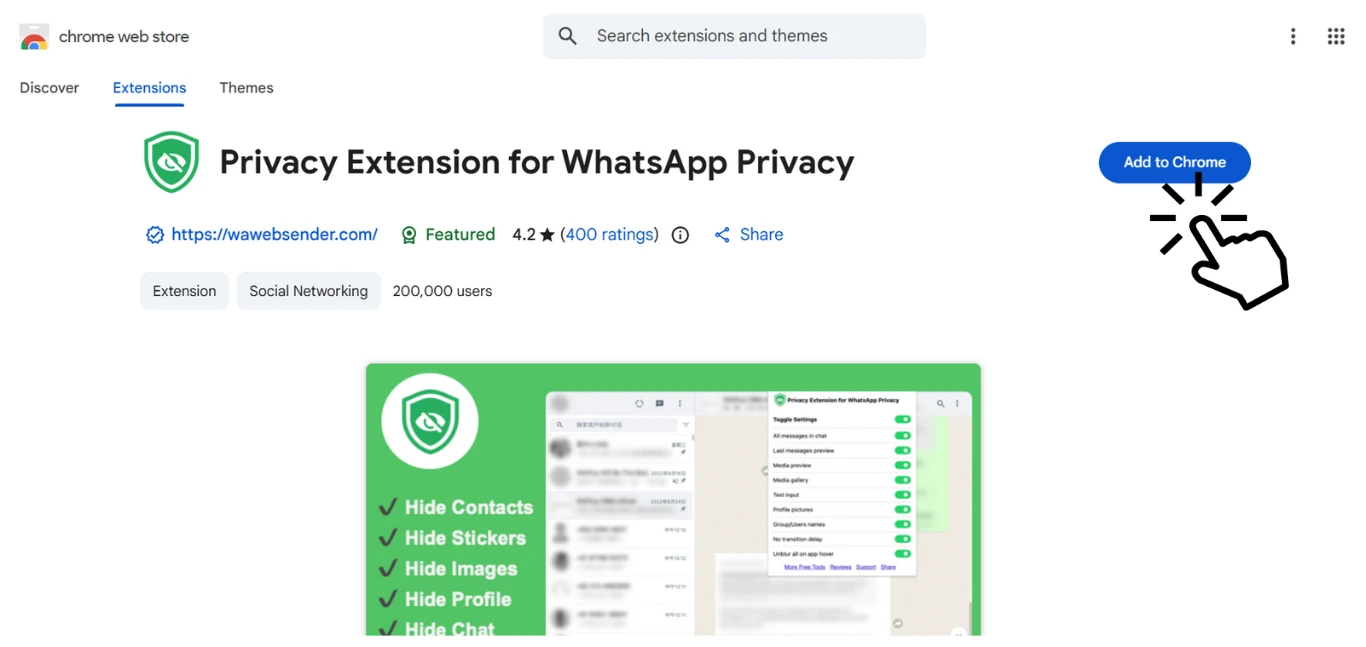
Open Chrome Extension Store page, search 'Privacy Extension for WhatsApp Web'. Identify the icons and display images in the trusted video which is displayed in the cover page. Then install it to add to chrome.
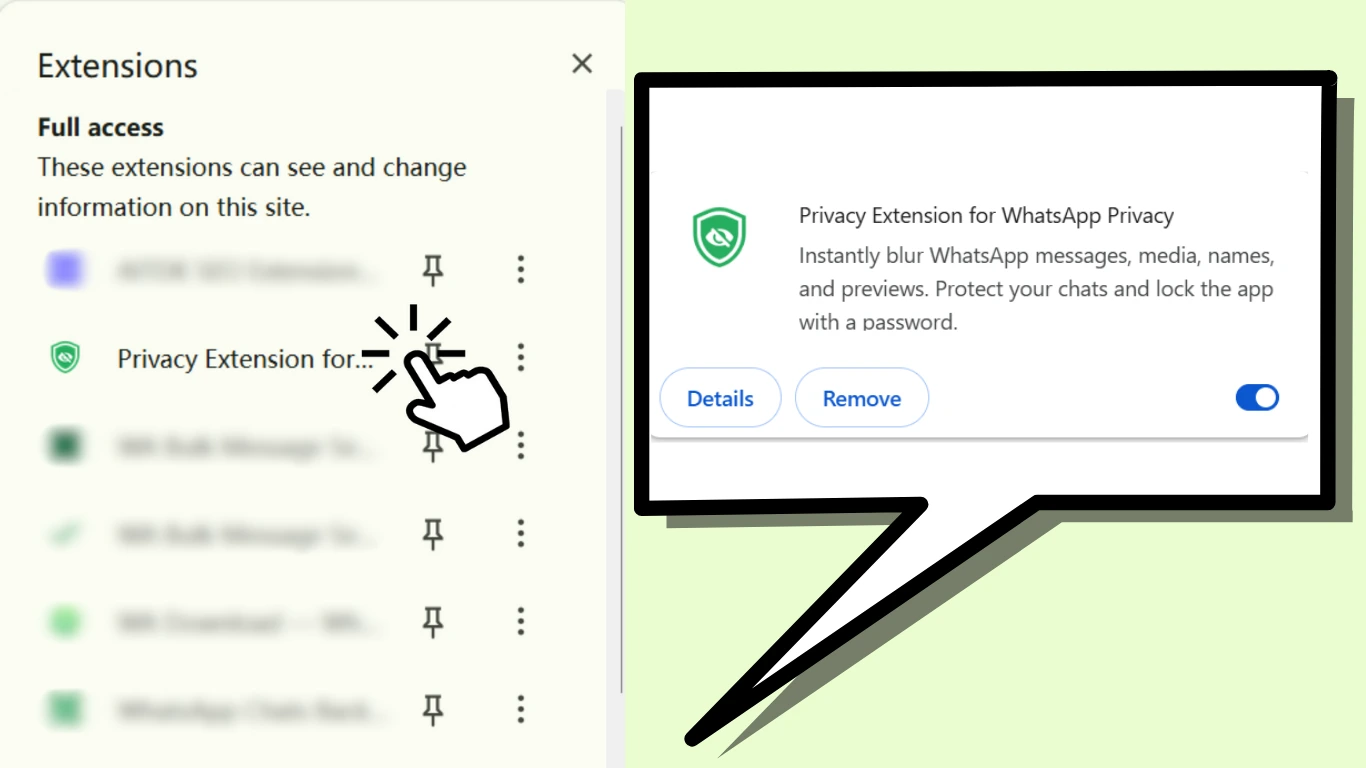
Find the extension button at the top of the Chrome, click on Privacy Extension for WhatsApp Web to open it.
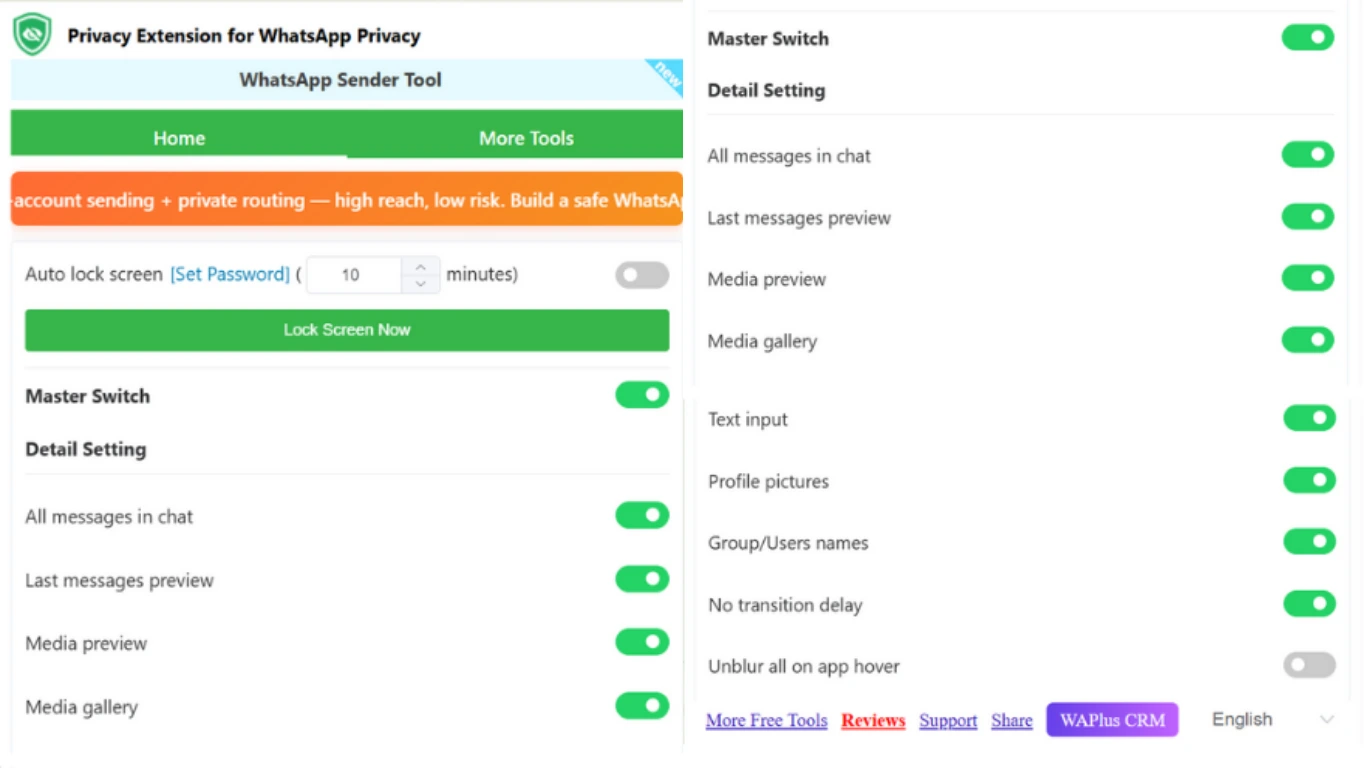
After opening Privacy Extension for WhatsApp Web, you can choose the button for the privacy protection detail settings you need and adjust the time it takes for the screen to lock. Currently, Privacy Extension for WhatsApp Web allows to blur message, last message, media, text input, profile pictures, group/users names and etc.
Try Privacy Extension for WhatsApp Web !
This WhatsApp privacy extension is lifesaver during client calls. I can finally share my screen without worrying about personal messages popping up. Super clean, super simple - absolutely worth it.
Privacy Extension for WhatsApp Web works flawlessly. It does not slow anything down, and the blur-on-hover features is brilliant. Easily the best WhatsApp hide extension I have installed.
I often work in cafes, and this tool gives me real peace of mind. Everything stays blurred until I hover. It feels professional and totally secure.
We use WhatsApp Web a lot for team communication, and this WhatsApp blur extension protects sensitive conversations when collaborating. Smooth, reliable, and genuinely useful.